
Fixing UniFi UDM Pro stuck on old version
This is not necessarily my usual kind of blog post: It's more like a note or a quick guide for anyone who might be facing a similar issues as I did with UniFi gear.
I happen to have a somewhat over-engineered home network setup that is based on Ubiquiti's UniFi hardware. A month or so ago, I purchased an additional U7 Pro WiFi access point to fill in some gaps in wireless signal coverage at my home. During the setup, I had some issues with my UDM Pro gateway console that is used to manage the network.
Even though automatic updates had been enabled. I had not realized this until I was about to adopt my new U7 Pro WiFi access point into the network. The brand spanking new U7 Pro requires at least UniFi Network application version 8.0.26 and UniFi OS 3.2. My UDM Pro was stuck on Network application version 7.2.97 and OS version 1.12.38. And to make things worse, the upgrade could not be performed via the web interface. For reasons beyond me 🤯
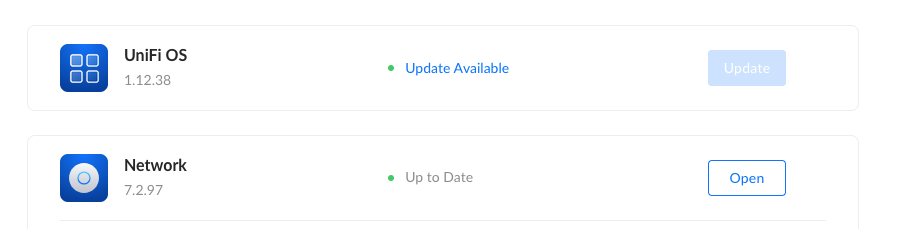
My UDM Pro seemed to meet all the requirements for the upgrade to next major version (2), from where I should be able to continue to the latest one, but no dice.
I scoured the internet, especially Ubiquiti Community, and found a few threads that were helpful. Some suggested removing applications that were not needed, like UID, Access and Talk. This didn't work through the UI either, but following community provided steps I was able to uninstall them via SSH:
- I enabled SSH on the UDM Pro
- Worked around some SSH issues
- SSH'ed into it
- Opened the UniFi OS shell by running:
unifi-os shell - Used
apt-get purgecommand for all apps to-be-removed:apt-get purge uid-agent unifi-connect unifi-talk unifi-protect unifi-accessBe mindful of what you are removing You probably should not remove the applications you are using! In my case, I wasn't using any others except the Network application.
Unfortunately, I still wasn't able to update the UniFi OS via the web interface. The update button still eluded me.
After reading through some more community threads I found some workarounds, basically enforcing the upgrade to version 2.4.27 via CLI:
ubnt-upgrade -d https://fw-download.ubnt.com/data/udm/e2cf-udmpro-2.4.27-795aaf430714433faaea9e0dfeb4e5bf.binNote that the binary file URL is not some random URL I just copied from community thread, it's the same one found in the release notes.


After a while:
ubnt-upgrade: [info] Upgrade completed!So my starting point was UniFi OS 1.12.38. I then upgraded to 2.4.27 via SSH. After that I was able to upgrade the UniFi OS and Network application via the web interface bit by bit:
- 2.5.17
- 3.0.20
- 3.1.16
- Network from 7.4.162 to 8.6.9
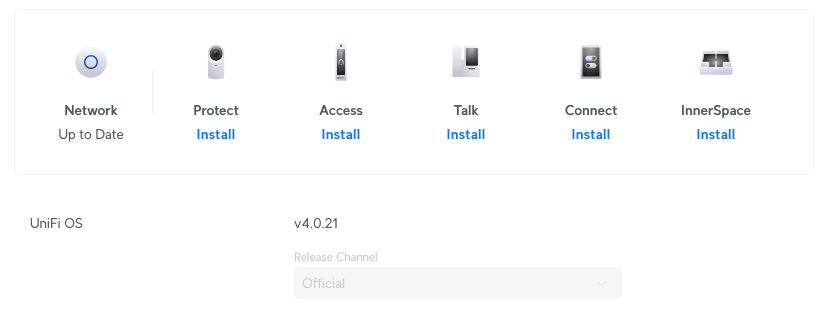
- 4.0.21
Hope this helps someone, somewhere, someday 🤞